
Download Zenfetch – AI‑Powered Knowledge Management Tool
Overview: Why Zenfetch Is Changing Digital Knowledge Management
In today’s information‑overloaded world, keeping track of articles, PDFs, videos, and social media snippets can feel impossible. Zenfetch steps in as an AI‑driven web application that transforms chaotic digital content into a structured, searchable knowledge hub. By passively indexing every type of media you encounter, Zenfetch builds a personal repository that grows automatically, so you never have to manually tag or file a document again.
The platform’s standout feature is its AI‑powered chat interface, which lets you ask natural‑language questions and receive instant answers drawn from your own saved content. Whether you’re a researcher, marketer, student, or busy professional, Zenfetch surfaces the right information at the right moment, boosting productivity and reducing the time spent hunting for files. The tool also offers automatic summarization for long‑form content, advanced AI search with customizable filters, and time‑based organization that lets you view knowledge by day, week, or month.
Daily email digests highlight the most important takeaways, ensuring you stay informed without being overwhelmed. All of these capabilities are delivered through a clean, responsive dashboard and an optional Chrome extension that captures content with a single click. In short, Zenfetch is not just a storage solution—it’s an intelligent assistant that curates, summarizes, and delivers your digital knowledge exactly when you need it.
Key Features that Set Zenfetch Apart
- Passive Multi‑Source Indexing: Automatically scans articles, PDFs, videos, and social media posts you view in the browser.
- AI‑Powered Chat Bot: Interact with your knowledge base using natural language queries; the AI returns precise excerpts or summaries.
- Automatic Summarization: Long documents are condensed into bite‑size overviews, saving you minutes of reading.
- Advanced Search & Filters: Semantic search powered by machine learning, with filters for date, content type, and custom tags.
- Customizable Dashboard: Drag‑and‑drop widgets let you prioritize recent items, most‑viewed resources, or project‑specific collections.
- Chrome Extension: One‑click capture of any web page, PDF, or video directly into your Zenfetch library.
- Time‑Based Organization: View your knowledge repository by day, week, or month to see how your learning evolves.
- Daily Email Summaries: Receive a concise email each morning highlighting new additions, top‑rated summaries, and suggested reads.
- Secure Cloud Sync: End‑to‑end encryption ensures your data stays private while being instantly available across devices.
- Integration Ready: Connects with popular productivity tools like Notion, Evernote, and Slack via Zapier.
Installation, Usage & Compatibility
Getting Started – Simple Installation Process
Downloading Zenfetch is straightforward. Visit the official website, click the “Download for Free” button, and choose your platform. For desktop users, a Windows installer (.exe) or macOS package (.dmg) is provided.
Mobile users can find Zenfetch in the Apple App Store and Google Play Store. After downloading, run the installer and follow the on‑screen prompts: accept the license agreement, choose an installation folder, and click “Finish.” The web version requires no installation; simply create an account and start indexing immediately. Once installed, you’ll be guided through a short onboarding wizard that asks about your preferred content types, default filters, and whether you’d like to enable the Chrome extension.
How to Use Zenfetch Effectively
After onboarding, Zenfetch begins passively indexing content in the background. When you read an article, watch a video, or scroll through a social media feed, the AI detects the page and adds a reference to your library. To manually add items, click the Zenfetch icon in your browser toolbar, select “Save to Knowledge Base,” and optionally assign tags or a brief note.
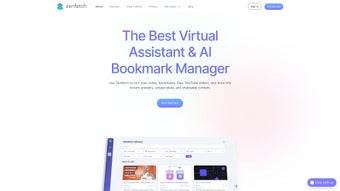
The dashboard presents a visual timeline of saved items; clicking any entry opens a preview with AI‑generated highlights and a summary. Use the chat window at the bottom right to ask questions like “What were the main takeaways from the last three research papers?” and receive concise answers drawn from your stored content. Advanced users can create custom filters—e.g., “Only show PDFs from the last 30 days tagged ‘marketing’”—to narrow results instantly.
The daily email digest arrives each morning, summarizing new saves, top‑ranked summaries, and suggested reads based on your activity.
Supported Operating Systems
Zenfetch runs on Windows 10/11, macOS 10.15 (Catalina) or later, Linux (via the web app), Android 7.0+, and iOS 13+. The Chrome extension works with Google Chrome (version 80+) and Chromium‑based browsers such as Edge and Brave. All platforms share the same cloud‑based backend, guaranteeing that your knowledge base is synchronized in real time across devices.
Pros, Cons & Frequently Asked Questions
Pros and Cons
- Pros:
- Comprehensive passive indexing eliminates manual filing.
- AI chat provides instant, context‑aware answers.
- Automatic summarization saves time on long reads.
- Cross‑platform availability ensures access everywhere.
- Secure cloud sync with end‑to‑end encryption.
- Cons:
- Advanced AI features require an internet connection.
- Free tier limits the number of saved items per month.
- Initial indexing may consume noticeable bandwidth on slower connections.
- Customization options, while robust, have a learning curve for beginners.
FAQ – Your Zenfetch Questions Answered
Is Zenfetch free to use?
Zenfetch offers a free tier that includes passive indexing, basic AI chat, and up to 500 saved items per month. Premium plans unlock unlimited storage, advanced filters, and priority AI processing.
How does Zenfetch protect my data?
All data is encrypted in transit (TLS 1.3) and at rest using AES‑256 encryption. Zenfetch never shares your content with third parties without explicit permission.
Can I import existing libraries from tools like Evernote or Notion?
Yes. Zenfetch includes import wizards for Evernote, Notion, and plain‑text markdown files. Imported items are automatically indexed and become searchable via the AI engine.
What browsers are supported by the Chrome extension?
The extension works with Google Chrome (v80+), Microsoft Edge, Brave, and any Chromium‑based browser that supports Manifest V3.
How often is the AI model updated?
Zenfetch’s AI backbone receives quarterly updates, ensuring the latest language understanding and summarization capabilities without requiring user intervention.
Conclusion – Boost Your Productivity with Zenfetch Today
Zenfetch consolidates the chaos of digital information into a single, intelligent hub that works silently in the background while you focus on what matters most. Its AI‑driven chat, automatic summarization, and proactive content surfacing make it a compelling choice for anyone who consumes large volumes of online material. With seamless cross‑platform support, robust security, and a free tier that lets you test the core features, Zenfetch lowers the barrier to entry and scales with your growing knowledge base. If you’re ready to stop hunting for files and start asking your personal knowledge base for answers, click the download button below, install the app, and let Zenfetch do the heavy lifting for you.
Download Zenfetch now and experience a smarter way to manage digital knowledge.
Zenfetch delivers a seamless blend of AI‑powered organization and intuitive design. The passive indexing saves countless hours, while the chat interface feels surprisingly natural. Minor drawbacks include the need for an internet connection for premium AI features and a learning curve for power users, but overall it’s a standout knowledge‑management solution.






